01 · Orders
Every Order Has A Receipt.
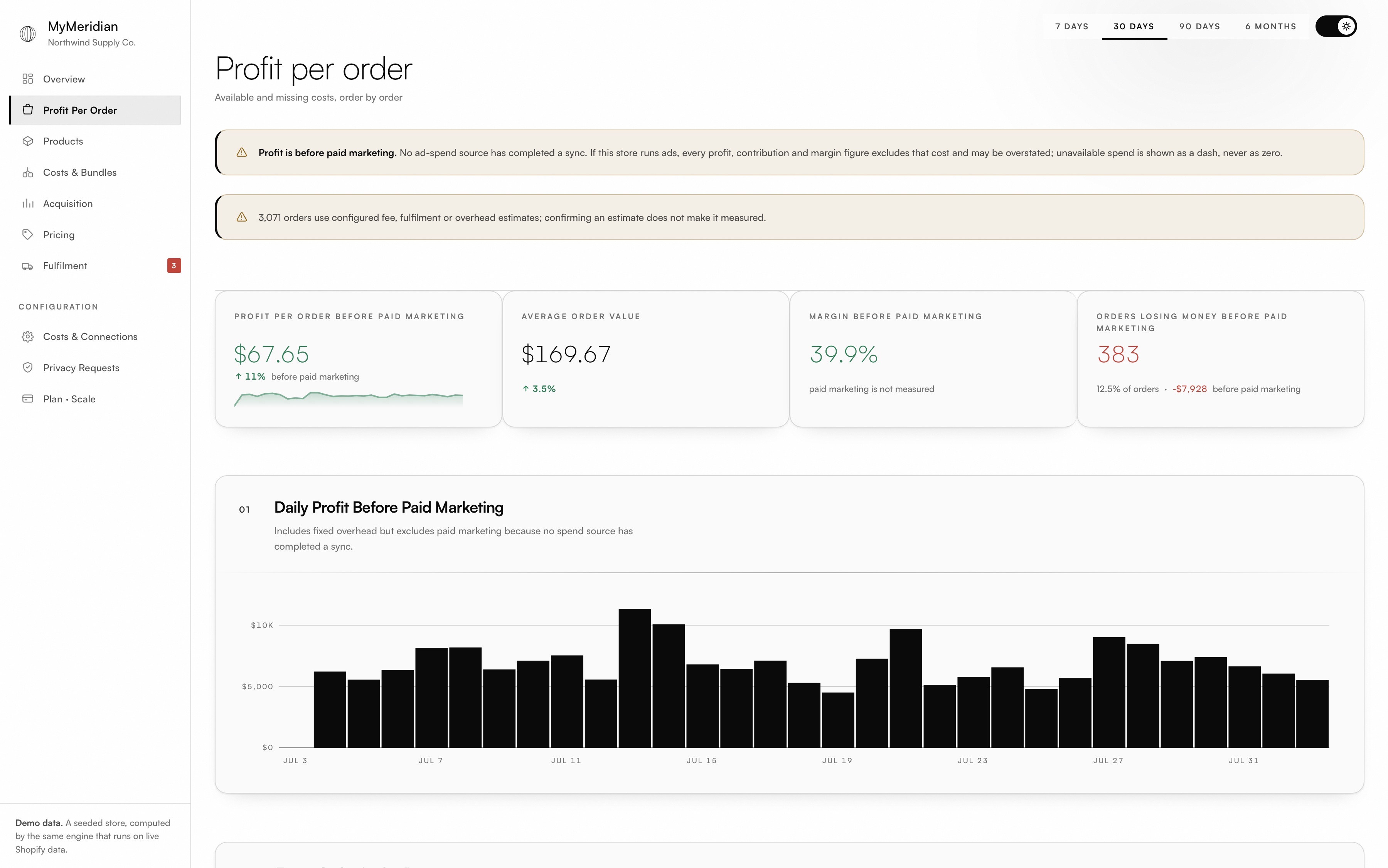
Net revenue, COGS, fulfilment, payment fees and overhead on one row, for every order in the window. Sort by least profitable and the orders costing you money surface in one click.
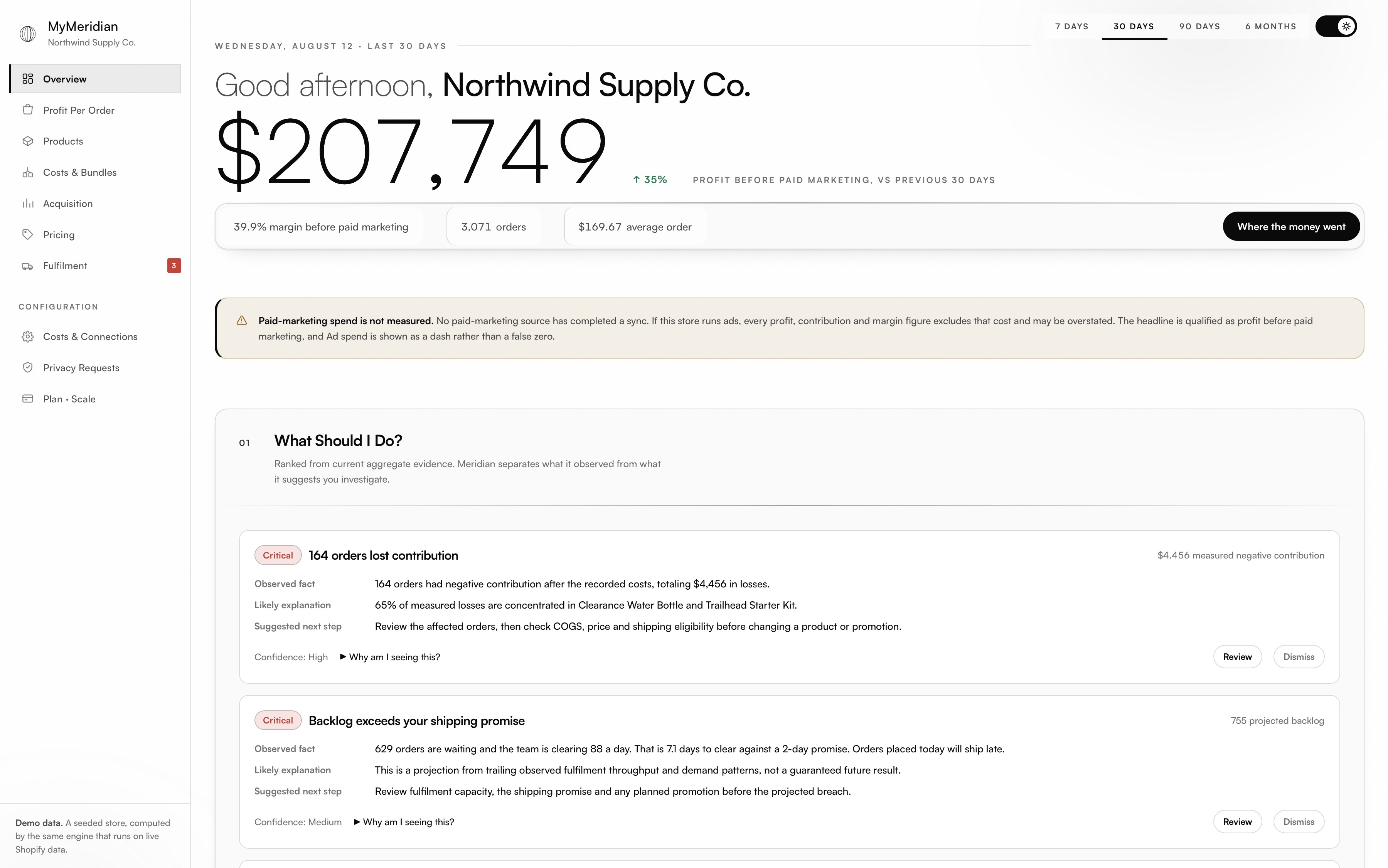
Orders, product costs, fulfilment, payment fees and overhead resolved into one number you can act on — plus the orders, products and risks that deserve attention next. Every configured estimate and missing input stays on screen. Nothing is guessed into a figure that looks certain.
Daily Profit Before Paid Marketing Demo Store · 30 Days
Join the MyMeridian waitlist for early access. Founding merchants are eligible for 15% off their first 12 months on a monthly plan when the offer is activated at launch.
Every one of them looked identical on a sales report. These figures come from MyMeridian's demo store, computed by the same engine that runs on live Shopify data — 12.5% of orders, −$7,928, before paid marketing.
A sixty-six dollar sale that returns three dollars fifty. The dash on the Ads row is deliberate: no paid-marketing source has completed a sync, so MyMeridian shows nothing rather than a convenient zero.
MyMeridian starts at revenue and shows every subtraction in the order it hits the P&L. Configured estimates stay marked as estimates. Missing COGS receives no verdict at all.
What is left is 39.9% — the same margin the app puts on the overview, arrived at from the same inputs.
Figures from the seeded demo store. Profit is explicitly before paid marketing while no ad source has completed a sync.
Four views of one store. The product stays in place; the question changes.
01 · Orders
Net revenue, COGS, fulfilment, payment fees and overhead on one row, for every order in the window. Sort by least profitable and the orders costing you money surface in one click.
02 · Products
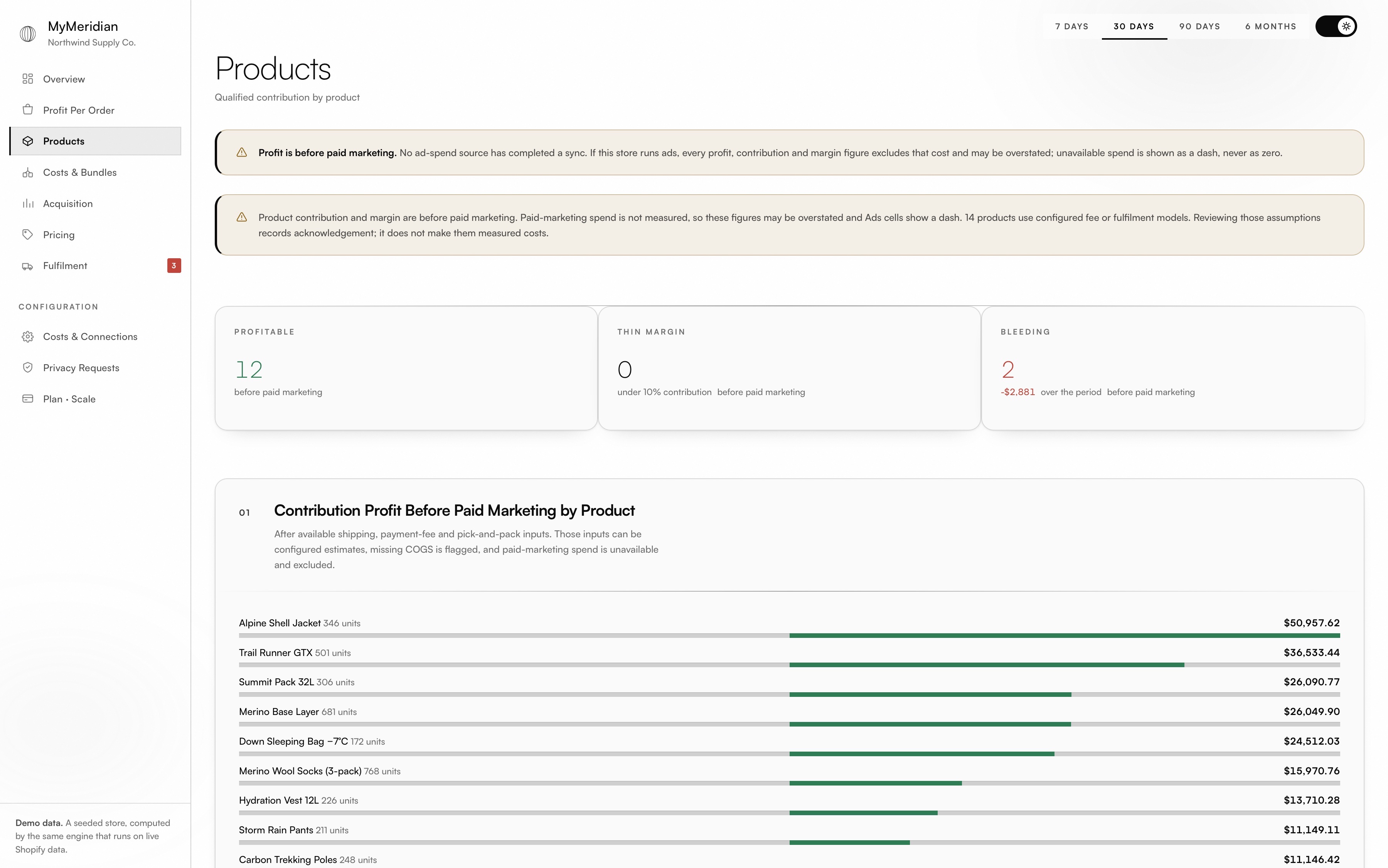
Products ranked by qualified contribution before overhead. A product with no recorded cost stays unclassified instead of collecting a profit verdict it did not earn.
03 · Pricing
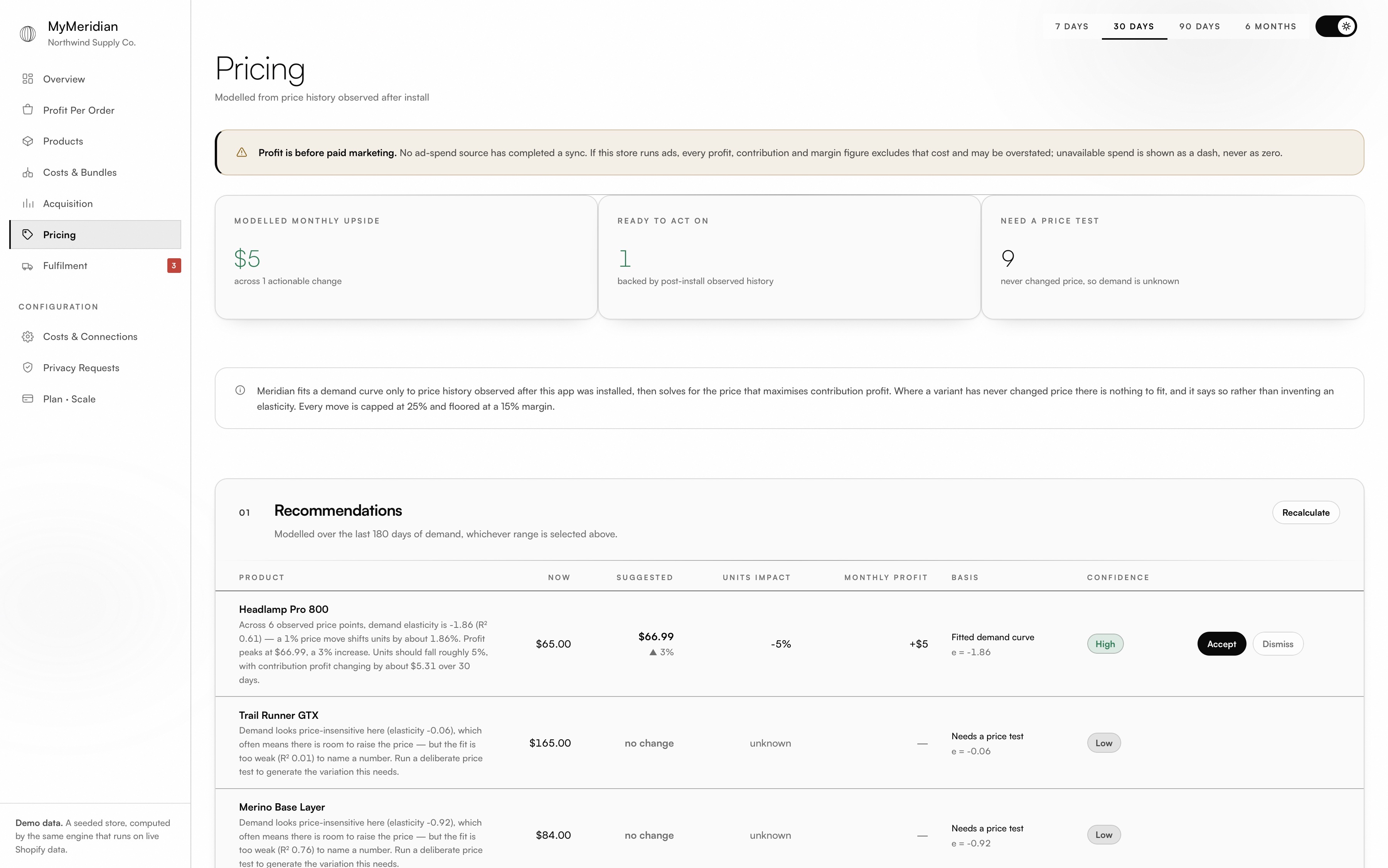
MyMeridian fits demand to price movements it observed after install, and caps any suggested move at 25%. With no usable history the honest answer is “not yet” — and that is the answer you get.
04 · Fulfilment
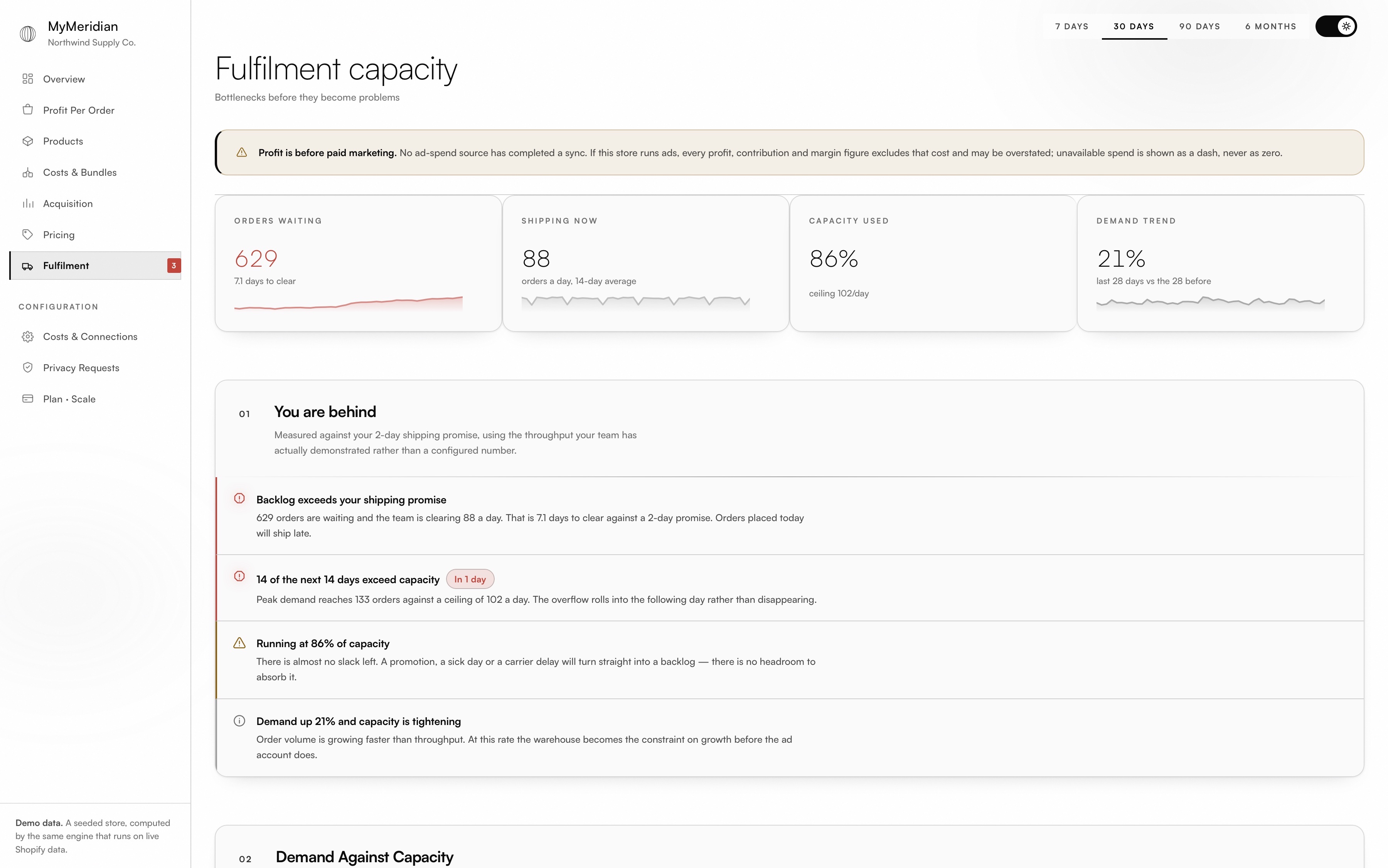
Demand compared with the throughput your team has actually demonstrated — 14 days ahead, so the day you break the shipping promise arrives with notice instead of apologies.
Three things MyMeridian will not do, however much better the dashboard would look if it did.
Where an input is absent, MyMeridian shows a dash and says which figure it affects. A blank is information; a zero is a lie that compounds through every total above it.
A loss verdict requires a measured cost. Products with no recorded COGS are held out of the ranking and named as unclassified, so you never discontinue a line on the strength of a blank field.
Elasticity is fitted only to price changes MyMeridian watched happen after installation. It cannot reconstruct the years before it arrived, so it does not pretend to — it waits, and tells you it is waiting.
The result is a number with a known shape: you can see what went into it, what did not, and exactly how far to trust it.
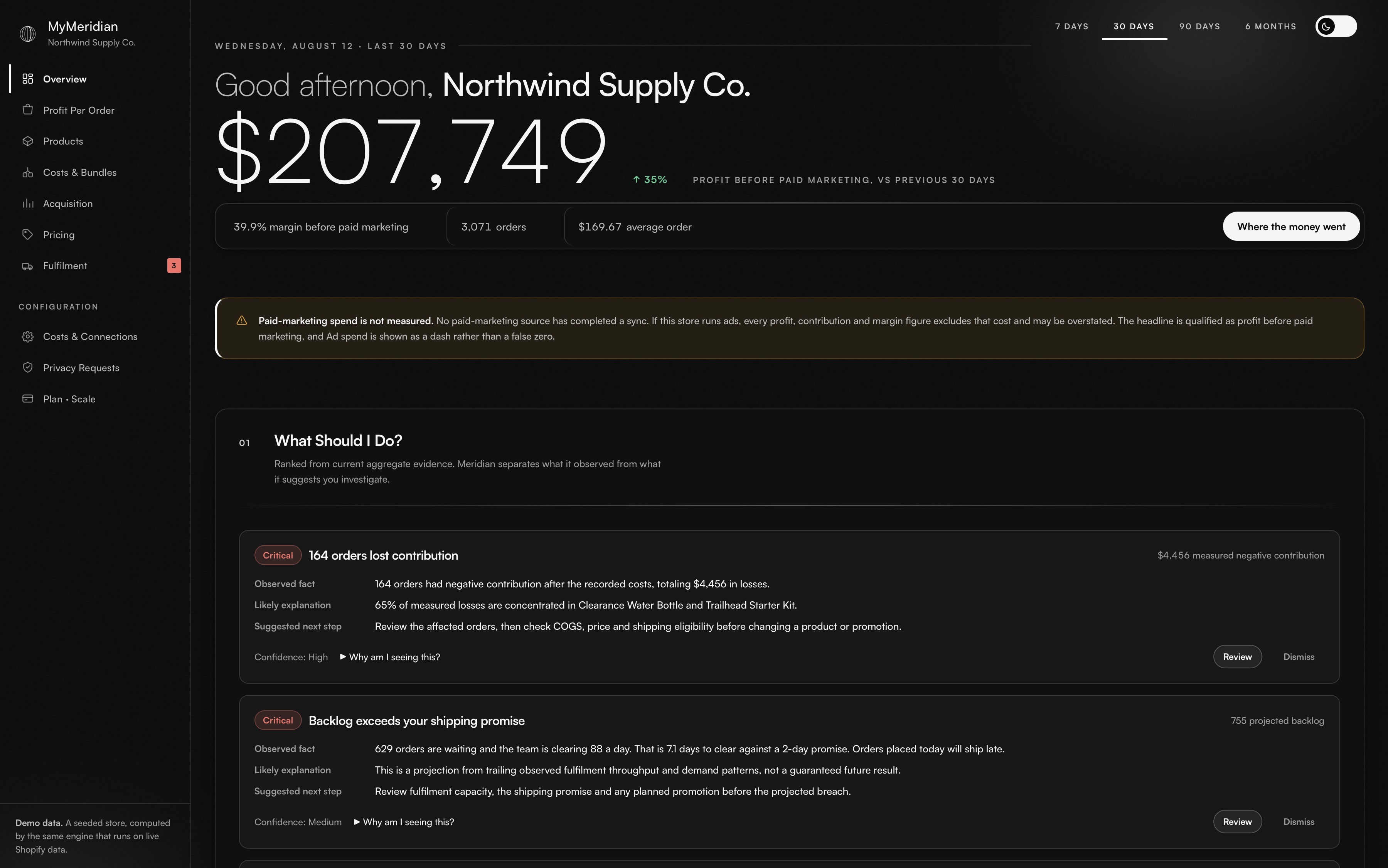
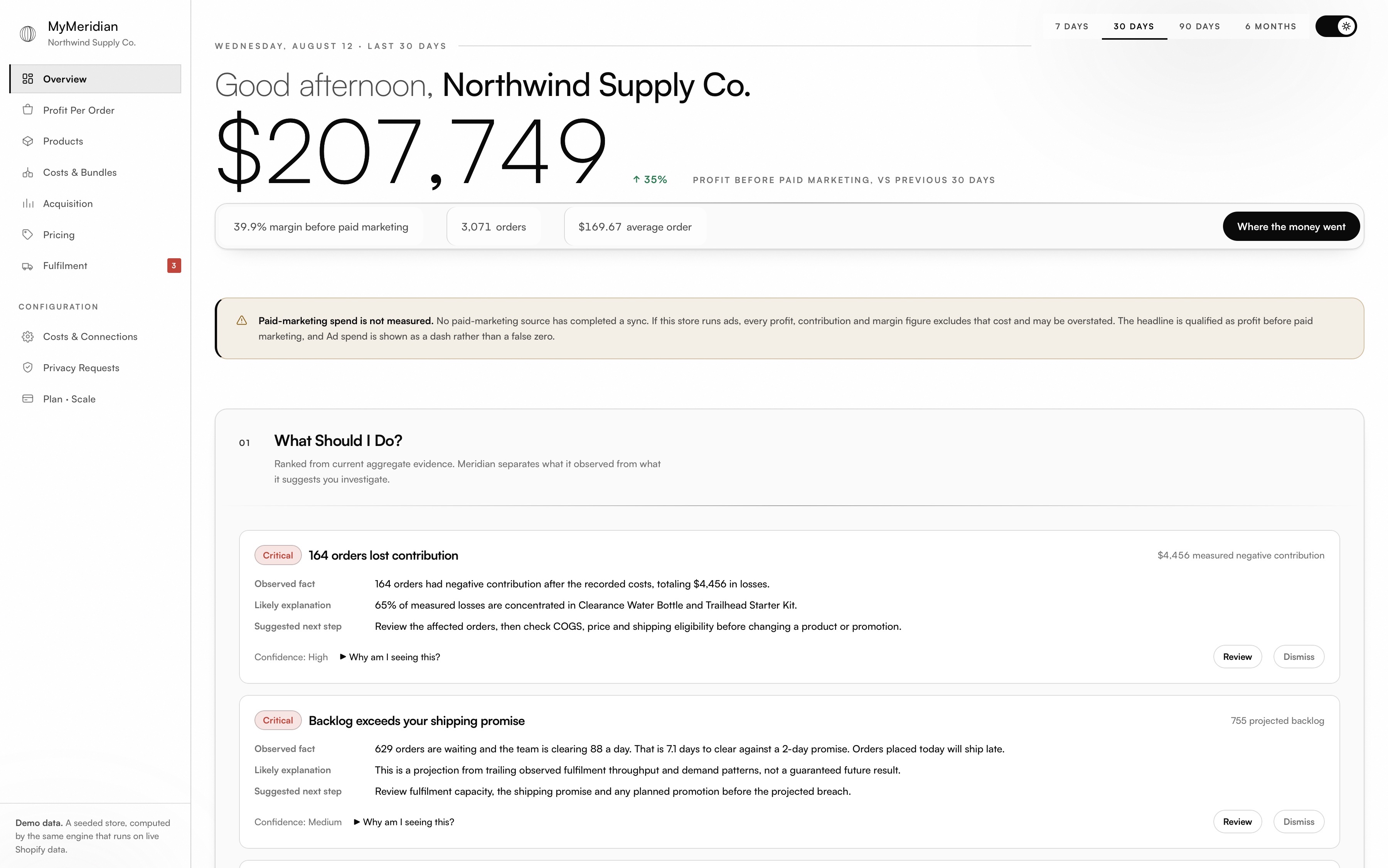
Keep scrolling to move the same operating view from dark mode to light mode.
Orders, products, fulfilments and inventory are read. No product, price or order write is ever requested.
Charges appear on the merchant's own Shopify invoice. MyMeridian never sees a card number.
Configured estimates, missing and unavailable inputs stay visible on the screen that uses them.
Early access is opening soon. Plan selection and Shopify billing begin at launch.
Know What You Actually Kept.
Know What Deserves Attention Next.
Operate Profitability Across A Larger Business.
Every answer here is the same one the app gives you on the screen it affects. None of them get better if you read them twice.
Shopify's own cost-per-item field on each variant. Shipping, payment fees, pick-and-pack and overhead come from cost rules you set once. Where a variant has no cost recorded, MyMeridian says so and holds that product out of the ranking — it does not score it at zero and call it profitable.
Growth and Scale stores can connect Meta Ads, Google Ads and TikTok Ads from inside MyMeridian. Until a connector is healthy and its spend has synced, the app labels profit as before paid marketing and shows unavailable spend rather than silently treating it as zero.
Sixty days. That is the window Shopify's standard order access returns, so it is what the first sync can cover. MyMeridian puts that in a banner instead of drawing a chart that starts at your install date and letting you assume the store had no earlier trading. Longer history needs an extra approval from Shopify.
No. MyMeridian asks for four read-only permissions — orders, products, fulfilments and inventory — and never requests write access to any of them. It cannot edit a price, a product or an order. That is a property of what it installed with, not a promise about how it behaves.
Once MyMeridian has watched a price actually move. Elasticity is fitted only to changes observed after install, so the pricing view opens by telling you it is waiting rather than fitting a curve to years it never saw. Any move it does suggest is capped at 25%.
At launch, monthly and annual plans will be billed through Shopify. Founding Merchant eligibility is for 15% off the first 12 months of a monthly plan; it is not automatically combined with annual pricing.
Join the waitlist for early access and Founding Merchant eligibility.
Join Waitlist